gtatoto Casino & Sportsbook Mobile App
We at gtatoto provide a native Android app and mobile-web access for iOS and desktop users so you can access football betting, live-dealer tables, slots, and esports markets from any device. Our mobile-first approach means your account, balance, and game history sync instantly across your phone, tablet, and computer. This page covers how to install the gtatoto app, what features are available on mobile, and how we keep your account secure when you play on the go.

- Update
- and
- LoginOTP Verification
Most of our users play on mobile. We at gtatoto optimized the Android app for fast loading, low data usage, and offline access to account settings and past transactions. The app notifies you of Liga 1 match kickoffs, Piala AFF tournament updates, and withdrawal approvals. You control all notifications from the app's preferences menu. On iOS, you access gtatoto through your web browser (Safari or Chrome) and can save our site to your home screen for a native-like experience.
Account security on mobile is identical to desktop. We at gtatoto use encrypted connections (HTTPS), optional two-factor authentication, and the same KYC verification process across all platforms. Your login session is tied to your device; logging out clears it. If you suspect unauthorized access, change your password immediately and contact our Customer Support team.
Installing the gtatoto Android app
The gtatoto app is available for download from the Google Play Store. Open the Play Store on your Android device (version 7.0 or later), search for "gtatoto", and tap "Install". The app downloads and installs automatically. Once installation completes, tap "Open" or find the gtatoto icon on your home screen and launch the app. You will see the login screen. If you already have a gtatoto account, enter your username (or email) and password. If not, tap "Open an account" to create one.
During your first login on the gtatoto app, we verify your device by sending a confirmation code to your registered email address. Check your inbox and enter the code in the app. This prevents unauthorized logins from new devices. If you enable two-factor authentication in your account settings, we also send a code to your phone number. The app stores this device as "trusted" for 30 days; you will not need to re-verify during that period.
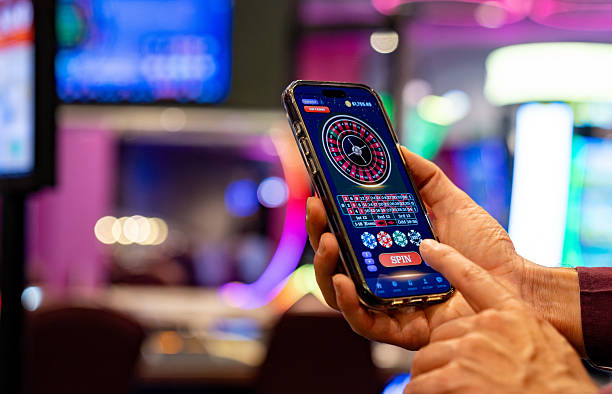
iOS browser access and home-screen shortcut
We at gtatoto support iOS 12 and later via mobile Safari or Chrome. Open your browser and navigate to gtatoto.bet. Log in with your username and password. Your gtatoto account balance and game history are immediately available. The mobile-web experience is fully responsive—games scale to your screen, and touch controls work seamlessly. To add gtatoto to your home screen for faster access, tap the Share button in Safari, scroll down, and select "Add to Home Screen". A gtatoto icon appears on your home screen; tapping it opens our site in a standalone window that looks like a native app.
iOS users receive the same account security features as Android users. We at gtatoto use HTTPS encryption, device verification on first login, and optional two-factor authentication. Your account balance and withdrawal requests are synchronized across iOS, Android, and desktop in real time. Deposits via DANA, e-wallet, mobile banking, local payment, or online payment process instantly on all platforms.
Installation steps for gtatoto on any device
- Download the gtatoto app from Google Play Store (Android) or open gtatoto.bet in your browser (iOS / desktop).
- Install the app (Android) or add the site to your home screen (iOS) for a quicker launch next time.
- Create a new account or log in with your existing username and password; verify your device via email or SMS.
- Deposit funds via e-wallet, mobile banking, local payment, online payment, e-wallet, mobile banking, or bank transfer (local payment, online payment, e-wallet, mobile banking), then start playing football, live tables, slots, or esports.
App features versus browser access
The gtatoto Android app offers push notifications, offline access to your account history and settings, and local caching of game data to reduce bandwidth usage. If your internet connection drops online paymentefly, you can still view your transaction history and account balance in the app. Push notifications alert you to upcoming Liga 1 matches, Piala AFF tournament schedules, withdrawal approvals, and account security alerts. You customize which notifications you receive in the app's settings menu. The browser version (iOS or desktop) does not support push notifications, but it offers the same games, betting markets, and account features as the app. Many users prefer the browser on their work computer and the app on their personal phone.

Device compatibility and system requirements
The gtatoto app runs on Android 7.0 (API level 24) and later, which covers most phones manufactured after 2016. If your phone runs an older version of Android, you can still access gtatoto via your web browser. On iOS, we support Safari and Chrome on iOS 12 and later (iPhones and iPads from 2016 onwards). For the best experience on mobile, ensure your device has at least 100 MB of free storage for the app and a stable internet connection (WiFi or 4G). The app uses approximately 2–5 MB of data per hour of active play, depending on game type and video quality.
Troubleshooting common installation issues on your gtatoto device
If the Play Store does not show the gtatoto app in your region, check that you are logged in with a Google account and that your Play Store is up to date. Some devices require you to enable "Unknown Sources" in Settings to install apps from outside the Play Store; we at gtatoto always distribute via the official Play Store, so this should not be necessary. If you see a certificate error when opening gtatoto in your browser, clear your browser cache and cookies (Settings → Apps → [Your Browser] → Storage → Clear Cache) and try again. If login fails with a "Device not recognized" message, check that your email address and password are correct, and verify your device via the confirmation code we send to your email. If you continue to experience issues, contact our Live Chat support team with your device model and error message.
Data, permissions, and account security on mobile gtatoto
The gtatoto Android app requests permission to send notifications and access your device storage (to cache game data and transaction history). We do not access your photos, contacts, calendar, or location. On iOS, we request only permission to send notifications. Your gtatoto account data—personal details, payment information, and game history—is encrypted in transit (HTTPS) and at rest (encrypted database). We do not sell or share your data. We at gtatoto comply with KYC requirements: before your first withdrawal, we verify your identity via government ID and cross-check against fraud databases. This process typically takes a few hours to one business day. Once verified, your account is fully active, and withdrawals process within one to two business days after a standard fraud review.
If you lose your phone or suspect your gtatoto account has been compromised, log in from another device (or computer), change your password immediately, and contact Customer SupportWe can disable the lost device and enable a new one. Your account balance is protected; we reverse unauthorized transactions where confirmed.
gtatoto mobile app checklist
- Android 7.0+ or iOS 12+ device with 100 MB free storage
- Stable WiFi or 4G internet connection (2–5 MB per hour of play)
- Existing gtatoto account or the ability to create one (KYC verification required)
- Two-factor authentication strongly recommended for account security
- Push notifications enabled to stay updated on Liga 1 and Piala AFF fixtures
- Contact Live Chat if you experience installation or login issues
Playing football, live tables, and esports on your gtatoto mobile
Once you are logged in to the gtatoto app or mobile browser, your unified account balance is available across all games. Tap "Football" to view Liga 1, Piala AFF, Champions League, and Premier League markets. Tap "Live Casino" to access Evolution Gaming blackjack, roulette, baccarat, and Dragon Tiger tables with real dealers. Tap "Slots" for Aviator, Sweet Bonanza, Gates of Olympus, Fortune Tiger, and Mahjong Ways. Tap "Esports" for Mobile Legends, Free Fire, and PUBG Mobile tournaments and leagues. Your balance updates instantly when you win or lose. Withdrawals initiated on mobile process through the same one to two business day review window as withdrawals from desktop.
We at gtatoto do not offer fixed bonus amounts or guaranteed returns. All games are subject to standard terms; withdrawal requests are reviewed for fraud and compliance. Our services are available only where local law permits. Users are responsible for verifying that their access complies with the laws of their jurisdiction. If you access gtatoto from a restricted area, your account may be closed and your balance forfeited.